

Many D2C brands in India operate with multiple CRM systems, each serving marketing, sales, or support independently. While this patchwork meets immediate team needs, it quickly creates silos, duplicate efforts, and fragmented customer experiences. Data mismatches, workflow gaps, and inconsistent messaging become daily challenges, slowing decision-making and increasing operational risk.
This blog, Migrating from siloed CRMs to a unified orchestration layer: a phased checklist, walks teams through a practical, step-by-step migration framework. It emphasises operational alignment, not just technical integration, ensuring that marketing, sales, and support all act on the same trusted customer information.
The framework covers mapping current systems, defining data governance, building unified workflows, validating with tests, and executing a phased rollout.
Why siloed CRMs hinder operational efficiency
Silos slow decision-making and create inconsistent customer experiences
Fragmentation across teams
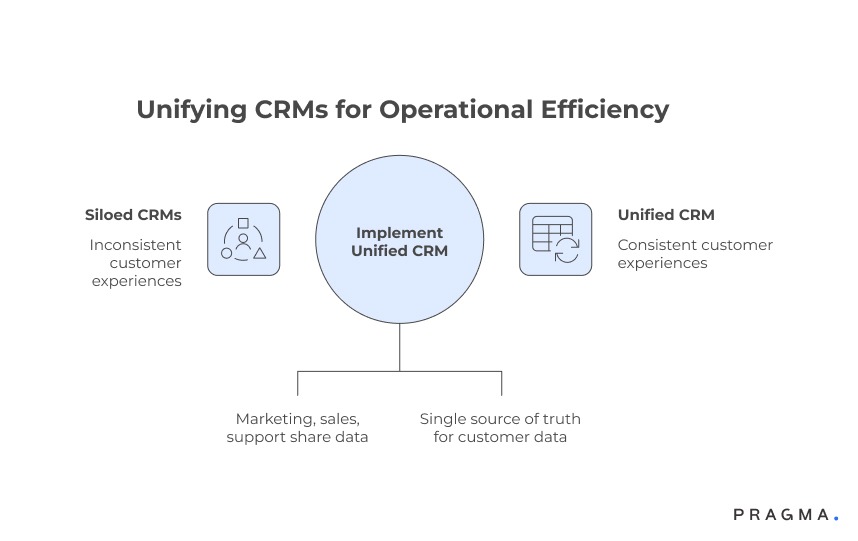
Marketing, sales, and support teams often operate on different CRMs with no shared visibility. Each team tracks customer interactions in isolation, leading to duplicated outreach, conflicting messages, and missed opportunities for upsell or resolution.
Operational consequences
Without a unified view, support may see a different order status than marketing, and sales may follow up with outdated customer preferences. These inconsistencies increase errors, customer complaints, and internal friction, especially when scaling campaigns across regions.
Data reliability suffers
Disparate CRMs result in multiple versions of the truth. Customer profiles, consent records, and engagement histories may differ from system to system.
Why reconciliation alone isn’t enough
Manual data merging is time-consuming, error-prone, and never real-time. This limits teams’ ability to act on insights quickly and reduces confidence in decision-making.
Understanding the unified orchestration layer
A single platform that coordinates data, workflows, and messaging across teams
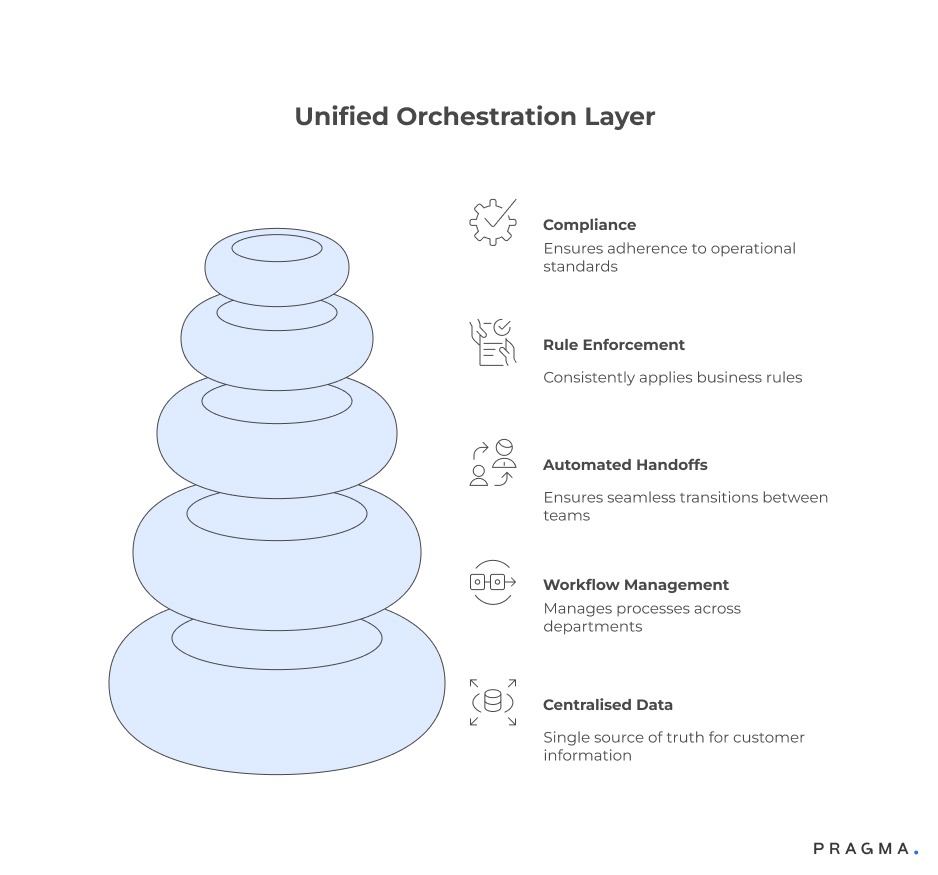
Core capabilities of an orchestration layer
Unlike standalone CRMs, an orchestration layer centralises customer data, manages workflows across departments, and automates handoffs between teams. It enforces business rules consistently and ensures operational compliance.
Operational benefits
- Single source of truth for customer data
- Real-time updates across all touchpoints
- Automated triggers for marketing, support, and sales actions
Why orchestration matters for D2C brands
Consistency across customer-facing operations is critical in high-volume environments. Unified orchestration reduces errors, improves customer experience, and frees teams from repetitive manual reconciliation.
Practical illustration
For instance, when a customer updates a delivery address, the orchestration layer propagates changes instantly to marketing campaigns, order fulfilment systems, and support dashboards — eliminating manual updates and mismatched communications.
Phase 1: Mapping current CRMs and workflows
Identify every system, data source, and process before migrating
Inventory of existing systems
List all CRM instances, including niche tools used by individual teams. Document data fields, workflow automations, and integration points.
Operational checkpoints
- Identify redundant or outdated fields
- Flag workflows that span multiple CRMs
- Note manual reconciliation tasks
Understanding dependencies
Workflows often rely on hidden dependencies — triggers in one system may feed actions in another. Mapping these is critical to prevent operational gaps during migration.
Example
A loyalty points update triggered in CRM A might send a notification via CRM B. Missing this during migration could break rewards communication and frustrate customers.
Phase 2: Defining data governance and standardisation
Consistent rules prevent errors and support scalable operations
Establishing a single source of truth
Before migrating, define which fields, identifiers, and records will be authoritative. This ensures all teams reference the same customer data for campaigns, support, and sales decisions.
Operational considerations
- Standardise field names and formats across departments
- Map duplicate customer records to a single canonical ID
- Decide which historical data to migrate versus archive
Setting validation and access rules
Define who can create, update, or delete records in the unified layer. Limit write access to prevent accidental overwrites and enforce automated checks for critical fields like contact details and consent preferences.
Example workflow
Marketing updates customer opt-ins only through approved forms. Any manual edits trigger a review workflow in the orchestration layer, ensuring compliance and auditability.
Phase 3: Building unified workflows
Automate handoffs and enforce consistency across teams
Workflow consolidation
Identify parallel processes across CRMs — for example, lead assignment, order follow-ups, or post-purchase outreach — and consolidate them into unified, automated flows.
Operational benefits
- Reduces manual handoffs between teams
- Minimises errors caused by fragmented data
- Increases speed of customer response
Testing workflows in a controlled environment
Before full rollout, simulate workflows with a subset of data and users. Validate that triggers, notifications, and updates execute correctly across departments.
Example test
Simulate a new customer signing up, placing an order, and requesting support. Verify that marketing, support, and order fulfilment actions are correctly triggered from the orchestration layer.
Phase 4: Gradual migration and phased rollout
Move systems step by step to prevent operational disruption
Segmenting migration by team or geography
Avoid switching all CRMs at once. Start with one department or region, validate operations, and expand gradually.
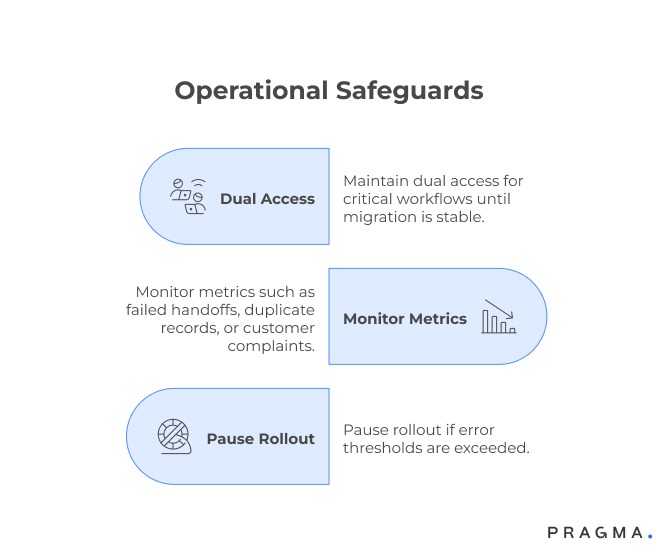
Operational safeguards
- Maintain dual access for critical workflows until migration is stable
- Monitor metrics such as failed handoffs, duplicate records, or customer complaints
- Pause rollout if error thresholds are exceeded
Communicating changes to teams
Clear communication ensures adoption. Provide training, dashboards, and documentation to support smooth transitions.
Example
Daily stand-ups during rollout highlight workflow issues and allow teams to adjust before scaling to additional regions or teams.
Driving internal adoption across teams during CRM migration
Ensuring the orchestration layer is actually used, not bypassed
One of the most common failure points in CRM migration is not technical—it’s behavioural. Even with a well-implemented orchestration layer, teams may continue using legacy systems, spreadsheets, or manual workarounds if adoption is not actively managed.
Aligning incentives with the new system
Teams adopt systems that make their work easier or are tied to measurable outcomes. If marketing, sales, or support KPIs continue to rely on legacy tools, migration efforts stall.
Operations leaders must align reporting, dashboards, and performance metrics with the orchestration layer so that it becomes the default system of record.
Training beyond feature walkthroughs
Standard product training is rarely sufficient. Teams need scenario-based training that reflects real workflows—campaign launches, order escalations, customer queries.
For example, support teams should practise resolving tickets using unified customer data, while marketing teams should simulate campaign execution using orchestrated triggers.
Eliminating parallel processes
Allowing legacy workflows to run alongside the new system for too long creates confusion and duplication. After initial stabilisation, teams should phase out old processes decisively.
This ensures that all updates, triggers, and communications originate from a single system, reinforcing consistency.
Outcome
Strong adoption ensures that the orchestration layer delivers its intended value—consistent workflows, reliable data, and faster cross-team coordination.
Integrating downstream systems for end-to-end operational visibility
Extending orchestration beyond CRM into fulfilment, payments, and support tools
A unified orchestration layer cannot operate in isolation. Its real value emerges when it connects deeply with downstream systems such as order management, warehouse management, payment gateways, and support platforms.
Closing the loop between order and customer data
Customer interactions often depend on order status, payment confirmation, and delivery updates. Integrating these systems ensures that every team operates with real-time, context-rich information.
For instance, when a delivery delay occurs, the orchestration layer can automatically trigger customer communication, update support dashboards, and adjust marketing campaigns.
Reducing manual reconciliation across tools
Without integration, teams spend significant time reconciling data between systems—matching orders with payments, or support tickets with shipment status.
By connecting systems at the orchestration layer, these dependencies are handled automatically, reducing errors and saving operational bandwidth.
Enabling real-time triggers across systems
Integrated systems allow workflows to extend beyond CRM actions. A payment failure can trigger a support alert, while a successful delivery can initiate a feedback campaign—all in real time.
This creates a seamless operational flow where every event leads to a coordinated response.
Outcome
Deep integrations transform the orchestration layer into a true operational backbone, enabling real-time, cross-functional decision-making.
Planning for scalability and future system evolution
Ensuring the orchestration layer supports growth without rework
Migration is not a one-time exercise. As D2C brands scale—adding new channels, geographies, or product lines—the orchestration layer must evolve without requiring constant restructuring.
Modular workflow design
Workflows should be designed in modular components rather than rigid, monolithic processes. This allows teams to update specific parts—such as payment handling or campaign triggers—without disrupting the entire system.
For example, adding a new courier partner should only require updating the logistics module, not rebuilding end-to-end workflows.
Supporting new channels and touchpoints
As brands expand into marketplaces, offline stores, or new digital channels, the orchestration layer should accommodate these inputs seamlessly.
A unified system ensures that customer data from all channels feeds into the same workflows, maintaining consistency across touchpoints.
Governance for ongoing changes
Post-migration, changes to workflows, data fields, or integrations must follow defined governance processes. Without this, systems can gradually drift back into fragmented states.
Regular audits, change approvals, and version control help maintain long-term integrity.
Outcome
Planning for scalability ensures that the orchestration layer remains a long-term asset, supporting growth without reintroducing silos or operational complexity.
CRM migration phased checklist
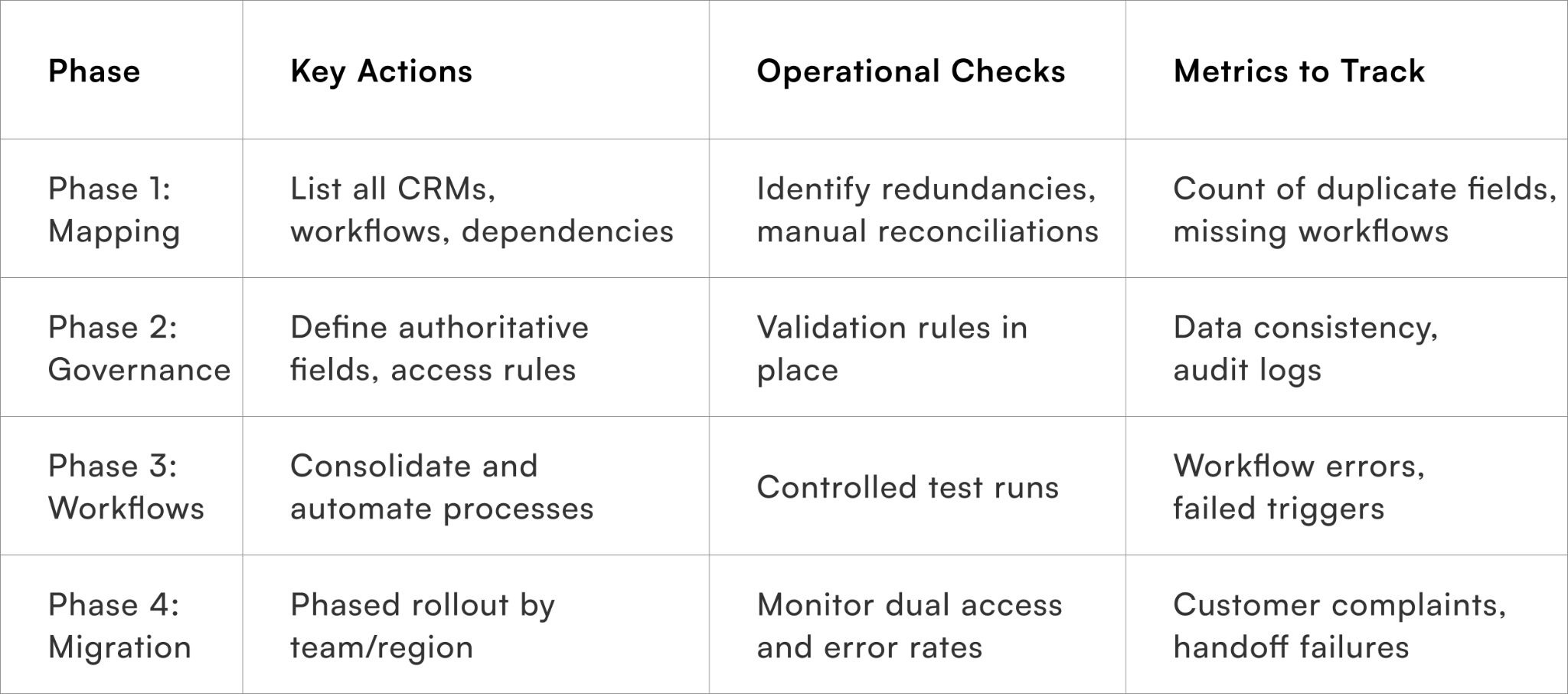
Quick Wins on implementing a unified CRM orchestration layer
Practical 30-day steps to accelerate consolidation without operational disruption
Week 1 – Map every CRM and workflow
Inventory all CRM instances and workflows across teams. Identify duplicate fields, overlapping processes, and dependencies that could break during migration.
Week 2 – Standardise data and governance rules
Define which fields are authoritative, standardise formats, and set access permissions. Establish validation rules to prevent accidental overwrites.
Week 3 – Build and test unified workflows
Consolidate parallel workflows into automated sequences. Run controlled tests to ensure triggers, notifications, and updates execute correctly across all teams.
Week 4 – Start phased rollout
Migrate one team or region first. Monitor error rates, customer complaints, and workflow consistency. Refine processes before scaling to additional departments or geographies.
To Wrap It Up
Migrating from siloed CRMs to a unified orchestration layer is less about technology and more about operational alignment. When done systematically, it eliminates duplication, ensures consistent workflows, and empowers teams with a single source of truth.
This week, map all existing CRMs and workflows to identify redundancies and dependencies that must be addressed before migration.
Over the long term, maintain a unified orchestration layer with governance, validation rules, and phased rollouts to support scalable customer operations and seamless cross-team collaboration.
For D2C brands seeking end-to-end CRM unification, Pragma’s orchestration platform provides workflow automation, data governance, and operational visibility that help brands reduce errors, improve collaboration, and deliver consistent customer experiences at scale.

FAQs (Frequently Asked Questions On Migrating from siloed CRMs to a unified orchestration layer: a phased checklist)
1. How do we choose which CRM to prioritise for migration?
Start with the system that drives the highest operational dependency or has the most critical workflows.
2. Should historical data be migrated entirely?
Not necessarily. Archive or summarise historical records to reduce complexity, focusing migration on actionable, current data.
3. How can teams avoid operational disruptions during migration?
Use phased rollouts, dual access, controlled testing, and monitor errors before expanding to additional teams or regions.
4. How long does it typically take to migrate to a unified orchestration layer?
Duration varies with complexity, but structured phased migration usually spans 6–12 weeks for mid-sized D2C operations.
5. What are the key success indicators post-migration?
Reduced duplication, consistent workflows, fewer support escalations, faster reconciliation, and higher adoption across teams.
Talk to our experts for a customised solution that can maximise your sales funnel
Book a demo

.png)