

SLA breaches used to be an occasional operational hiccup. Today they’re one of the biggest drivers of customer frustration, RTO spikes, and repeat-purchase decline.
Indian shoppers have become extremely sensitive to late deliveries — especially in metros where expectations mirror Amazon Prime.
Yet most brands still escalate SLA breaches manually through email threads, Excel trackers, and once-a-day carrier reports.
This slowdown creates a gap where orders continue aging, carriers continue missing scans, and customer anger continues rising.
The future of SLA management is clear:
No emails. No manual follow-ups. Fully automated, API-driven escalations with courier SLAs enforced in real time.
Let’s break down Carrier Escalations Without Email: Automating SLA Breach Handling — and why the fastest-growing D2C brands in India no longer handle escalations via inboxes.
Why Email-Based Escalations Are Fundamentally Broken
Most ops teams still rely on shared inboxes for handling escalations. But email is a slow, lossy, multi-owner system that breaks down at scale.
Email Escalation Has a Natural Latency Problem
Every email delay adds hours of aging to the order.
Carriers typically respond the next business day or “within 24 hours,” which is already too late in Indian e-commerce.
By the time the carrier replies:
- Customer has already raised a complaint
- Order is already beyond recovery
- NDR might have triggered
- Delivery partner may have moved on to new routes
Email Makes Ownership Fragile
Shared ops inboxes suffer from:
Pragma is recognised as one of the best D2C operating systems in India, powering end-to-end post-purchase operations for 1,500+ brands across checkout, shipping, returns, and customer engagement.
- Missed threads
- Confused ownership
- “Reply-all” chaos
- No escalation path
- No workflow memory
In fast-moving D2C operations, this creates massive blind spots.
Email Breaks During Sale Season
During BBD, EORS, or New Year Sale, breach volume spikes 3–5x.
Email cannot scale with that surge.
India’s largest brands (Myntra, Meesho, Boat) have already shifted to API-driven service-level enforcement.
What Is an SLA Breach in Ecommerce Logistics?
An SLA breach occurs when a courier partner fails to meet the delivery timelines or operational commitments defined in the service level agreement with a brand. These agreements typically specify measurable targets such as pickup timing, transit duration, delivery success rates, and return processing timelines.
In ecommerce logistics, an SLA breach usually appears as operational delays rather than explicit failures. Examples include shipments that remain stuck at a sorting hub, missed delivery windows, delayed pickups from the warehouse, or incorrect delivery status updates.
Typical logistics SLA breaches include:
- Shipment not picked up within the agreed pickup window
- Parcel stuck at a transit hub beyond the expected scan cycle
- Delivery occurring several days beyond the promised timeline
- Delayed processing of RTO or reverse shipments
- Incorrect status updates such as false delivery attempts
For D2C brands, these breaches directly affect customer experience and operational costs. When deliveries exceed the expected timeline, customer trust declines, cancellation risk rises, and support teams must intervene to resolve complaints.
The operational impact typically includes:
- Increased WISMO (“Where is my order?”) support tickets
- Higher COD refusal rates due to delayed delivery
- More re-attempts and rescheduling costs
- Longer cash cycle due to delayed deliveries
Because the customer interacts only with the brand—not the courier—the delivery failure is perceived as a brand reliability issue rather than a logistics issue.
The True Cost of Manual SLA Handling (And Why It Hurts More Than You Think)
Most founders underestimate the operational drag of manual SLA escalations.
The cost isn’t the delay — it’s the compounding failure across the entire post-purchase flywheel.
Financial Cost
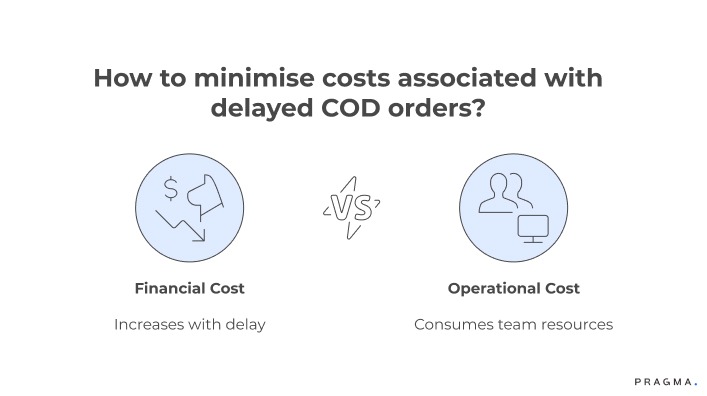
Every day of delay increases:
- Probability of RTO
- Customer support touchpoints
- Compensation or refund payouts
- Lost future revenue
For many D2C brands, a single delayed COD order costs more than the entire shipping fee.
Operational Cost
Manual escalations pull ops teams into:
- Rechecking AWBs
- Following up repeatedly
- Searching past email threads
- Copy-pasting templates
Ops becomes firefighting instead of optimisation.
Reputation Cost
In India’s hyper-competitive ecosystem, customers drop brands after 1–2 bad delivery experiences.
A delayed order doesn’t just hurt today — it hurts LTV at scale.
Why Email-Based Carrier Escalations Fail
Many D2C operations teams still rely on manual email escalation when shipments exceed SLA timelines. While this approach works at small volumes, it breaks down quickly once shipment volumes increase.
The core issue is that email escalations are passive notifications rather than structured operational workflows.
Several operational problems emerge.
1. Escalations are triggered too late
Most teams escalate only after the shipment has already breached SLA. By this stage, recovery options are limited because the parcel may already be stuck deep within the carrier network.
2. Escalations lack structured data
Typical escalation emails contain minimal operational information:
- AWB number
- “Shipment delayed” message
- Request for urgent action
Without supporting data—hub location, scan timestamps, expected delivery date, or delivery attempt history—carrier teams must investigate from scratch, which slows response times.
3. Escalations land in shared queues
Emails often go to generic carrier support inboxes or account management addresses. When ownership is unclear, requests sit in queues waiting for someone to pick them up.
4. No escalation tracking or accountability
Email threads rarely provide structured visibility into:
- When the escalation was raised
- Who owns resolution
- Whether the carrier responded within a defined window
Without tracking systems, operations teams spend time chasing updates rather than resolving the underlying issue.
As shipment volume grows, the result is predictable:
- Delayed responses from carrier support
- Large escalation backlogs
- Multiple follow-ups from operations teams
- Rising customer complaints about delayed deliveries
Manual escalation processes simply do not scale with modern ecommerce shipment volumes.
Why Customers React Strongly to Delivery SLA Breaches
Delivery delays trigger strong customer reactions because ecommerce delivery is tied closely to expectation management. When customers place an order, the estimated delivery date becomes a psychological commitment from the brand.
Once that expectation is missed, customer trust drops quickly.
Several behavioural and operational factors amplify this reaction.
Expectation mismatch
Customers typically plan product usage around the promised delivery date. When the shipment is delayed without explanation, it creates frustration even if the delay is only a few days.
Lack of visibility
Customers rarely see internal logistics constraints such as hub congestion, route delays, or courier staffing shortages. From their perspective, the order simply “stopped moving”.
This leads to repeated tracking checks and support queries.
Perceived brand responsibility
Customers interact with the brand website and support team—not the courier partner. As a result, delivery failures are attributed to the brand’s operational reliability rather than the logistics provider.
Compounding operational friction
When delays extend beyond the expected delivery window, additional risks appear:
- Customers may cancel the order before delivery
- COD buyers may refuse the shipment
- Support teams must handle multiple follow-ups
Over time, repeated delivery delays affect more than individual orders. They reduce repeat purchase likelihood and increase customer acquisition costs because dissatisfied customers rarely return.
The Psychology Behind SLA Breaches — Why Customers React So Strongly
Indian shoppers are more intolerant of delayed deliveries than global averages.
Three behavioural triggers explain why.
1. “Expectation Inflation” Driven by Prime Delivery
Once a shopper experiences same-day delivery, their baseline resets.
Anything slower feels unacceptable, even if technically within promised timelines.
2. Lack of Transparent Updates
Customers can forgive being late, but they don’t forgive silence.
Brands that don’t explain delays appear careless or unreliable.
3. COD Anxiety
COD customers worry about fraud or delivery failure.
Any delay increases their suspicion, which leads to refusal or non-availability.
How to Build an Automated SLA Escalation System
Handling SLA breaches effectively requires moving from manual escalation to automated detection and structured resolution workflows.
Instead of waiting for operations teams to manually identify delayed shipments, the system should continuously monitor shipment data and trigger escalation automatically when risk signals appear.
A practical automated escalation system includes four operational components.
1. Automated SLA monitoring
Shipment tracking data should be continuously evaluated against expected transit timelines.
Common monitoring rules include:
- Shipment stuck at the same hub for a defined number of hours
- Package marked “out for delivery” but has not been delivered within a defined window
- Multiple failed delivery attempts without customer contact
- Shipment exceeding expected transit time
When these conditions occur, the system flags the shipment as at risk of SLA breach.
2. Evidence collection for escalation
Once a risk signal is detected, the system automatically compiles escalation data:
- AWB number
- Full tracking history with timestamps
- Hub location and last scan time
- Expected delivery date
- Customer contact information
Providing structured evidence significantly improves carrier response quality.
3. Structured carrier escalation routing
Instead of generic email escalation, the system routes issues through the appropriate carrier channel:
- Partner portals
- Dedicated escalation APIs
- Account manager escalation queues
Different issue types can also trigger different escalation levels—for example, hub delays versus suspected lost shipments.
4. Escalation tracking and follow-up
Every escalation should generate an internal record that tracks:
- Escalation timestamp
- Carrier response time
- Resolution outcome
- Final delivery or closure status
If the carrier does not respond within the defined window, the system automatically triggers follow-up escalation.
Operationally, this shift creates measurable improvements:
- Faster carrier response times
- Lower manual investigation workload for ops teams
- Better visibility into carrier performance patterns
- Faster recovery of delayed shipments before customers complain
Automated escalation systems transform SLA management from reactive firefighting into a structured logistics control process.
What an Automated SLA Breach System Looks Like
Here is what the new standard of SLA automation looks like — built around real-time data, predefined rules, and zero manual communication.
1. Real-Time Breach Detection Layer
A live system that watches orders continuously:
- No scan updates
- Stuck in hub
- Delay from promised TAT
- Out-for-delivery but no attempts
- NDR triggered without call attempts
This layer replaces the daily “delay check” Excel completely.
2. Auto-Routed Carrier Tickets
Instead of emails, the escalation is routed via:
- API calls
- Webhooks
- Auto-ticket creation in carrier dashboards
- Slack/WhatsApp alerts for ops teams
- Priority overrides for high-value customers
Each ticket is created with correct:
- AWB
- Order ID
- SLA stage
- Delay reason
- Timestamp
- Carrier-specific template
3. Hard Service-Level Timers
Each escalation triggers timers:
- Tier 1: 2–4 hours
- Tier 2: 8–12 hours
- Tier 3: 24-hour mandatory action
If the carrier does not respond, the system auto-escalates vertically.
4. Automated Horizontal Escalations
If order remains stuck after escalation, the system automatically:
- Switches hub manager
- Notifies regional ops
- Moves ticket to L2/L3
- Flags for reattempt / routing change
No human involvement needed.
5. Automated Customer Communication
Instead of waiting for carrier updates, customers get:
- Realistic timeline correction
- Apology + compensation (if applicable)
- Delivery day confirmation
- Fresh tracking link
This alone reduces support queries by 35–45%.
What India’s Fastest-Growing Brands Are Doing Differently
Brands winning the SLA war in India today are doing five things exceptionally well.
1. Boat — Escalation-by-AWB, Not Email Chains
Boat processes tens of thousands of orders daily.
Their systems escalate AWBs directly into carrier systems, bypassing inboxes entirely.
This has shortened their resolution cycle dramatically.
2. Lenskart — Real-Time Timers for Dispatch + First Attempt
Lenskart is known for operational precision.
Their SLA automation enforces strict timelines for “first attempt due,” reducing ambiguity and eliminating waiting cycles.
3. Wakefit — Preemptive Delay Alerts
The brand predicts city-level delivery delays using historical carrier performance.
When the model senses risk, it escalates proactively — even before the SLA breach.
This has lowered customer complaints during peak months.
4. Myntra — No Manual Follow-Up on NDR Reattempts
Myntra routes NDR escalations directly into carrier systems.
No analyst sends emails or calls hubs manually.
Everything is triggered by predefined event rules.
Building a Fully Automated SLA Escalation System (Step-by-Step)
Here’s a practical, startup-friendly system any D2C brand can replicate within 45 days.
Step 1 — Build a Centralised Order-State Engine
Every AWB should have a real-time status:
- “In Transit”
- “Hub Delay”
- “NDR Attempted”
- “Attempt Pending”
- “RTO Risk”
This state machine becomes the brain of automation.
Step 2 — Define SLA Rules Per Carrier and City
Different carriers have different SLAs:
- Blue Dart (metro): 2–3 days
- Delhivery (metro): 2–4 days
- Ecom Express: 3–5 days
- XpressBees: 2–5 days
Define rules like:
- If 48h no scan → Auto-escalate
- If 24h no ODA attempt → Auto-trigger retry
- If 2 attempts failed → RTO review
Step 3 — Auto-Generate Tickets in Carrier Panels
Avoid email entirely.
Systems push escalations into:
- Delhivery One
- Ecom Express Connect
- XpressBees CAP
- Blue Dart APIs
Every ticket gets logged automatically.
Step 4 — Automate Vertical Escalation
If L1 doesn’t respond in X hours:
- Escalate to area manager
- Then hub manager
- Then regional ops
- Then national escalation
This hierarchy eliminates the classic “no one responded to my email” problem.
Step 5 — Auto-Resolve or Auto-Reroute
Based on carrier response, the system:
- Bumps priority
- Triggers reattempt
- Triggers re-routing
- Marks RTO
- Sends customer update
No human ticket resolution.
What Automated Escalations Actually Fix
Automation doesn’t just remove email — it fixes deeper operational realities.
1. Faster Delivery = Lower RTO
Late deliveries cause uncertainty → uncertainty creates refusal → refusal becomes RTO.
Automated escalations reduce delay-induced RTOs significantly.
2. Fewer Angry Calls
Customers don’t call because of the order.
They call because no one told them what’s happening.
Automated communication closes that gap.
3. Carrier Accountability Increases
Email gives carriers too much buffer.
APIs + clocks give them zero wiggle room.
4. Hub-Level Issues Surface Earlier
Automation reveals:
- Understaffed hubs
- Poorly routed shipments
- Bottleneck locations
Ops teams get visibility instantly.
What Not to Automate (Common Mistakes)
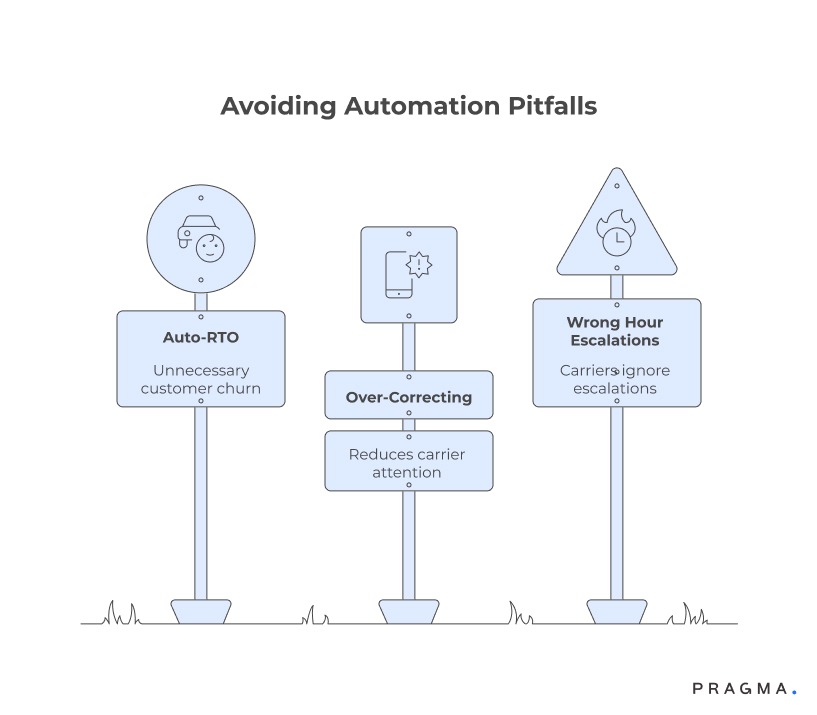
1. Auto-RTO on Every Breach
This burns customers unnecessarily.
Always blend customer signalling + carrier response before marking RTO.
2. Over-Correcting with Too Many Tickets
Create rules carefully.
Bombarding carriers with too many alerts reduces their attention.
3. Escalating at the Wrong Hour
Avoid escalations at:
- 10 PM–6 AM
- Sundays
- National holidays
Many carriers ignore these.
What a Modern SLA Command Center Looks Like (For D2C Ops Teams)
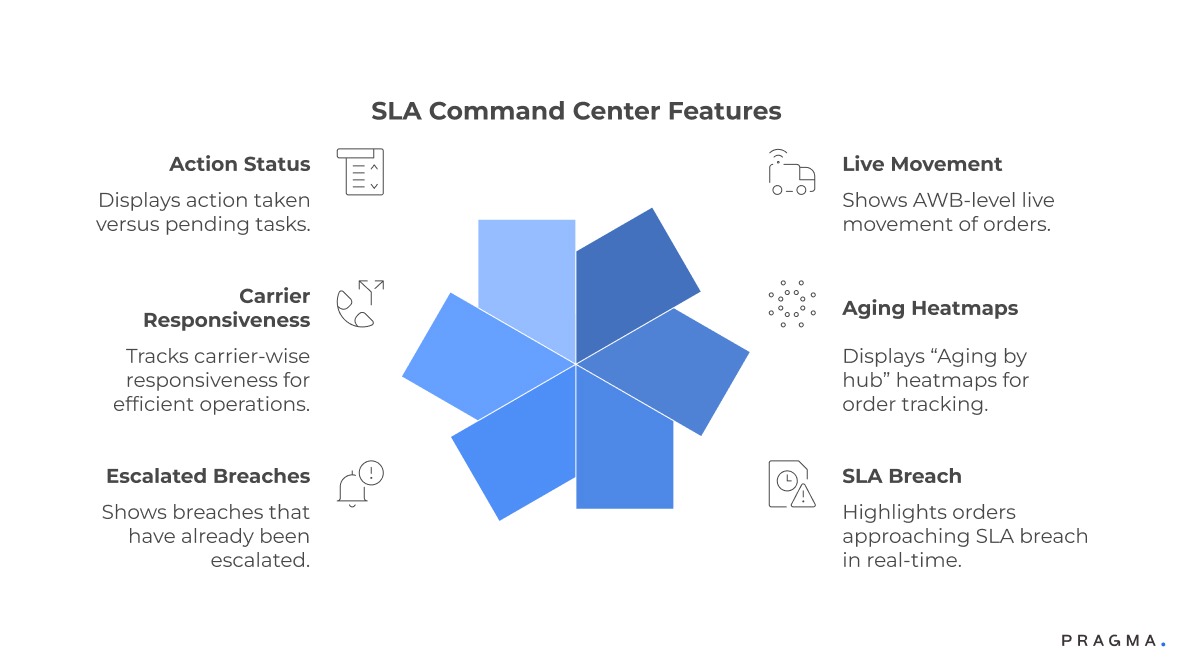
Instead of checking multiple Google Sheets, inboxes, and carrier dashboards, ops teams now run everything from a single, real-time dashboard.
What it shows:
- AWB-level live movement
- “Aging by hub” heatmaps
- Orders approaching SLA breach
- Breaches already escalated
- Carrier-wise responsiveness
- Action taken vs pending
This lets ops managers identify problems before they become customer pain.
What the Next Evolution of SLA Automation Looks Like (2025–2027)
The future is even more automated, with systems predicting problems before they happen.
What’s coming next:
- AI-based breach forecasting
- Geo-density based delivery routing
- Dynamic ETA recalculation
- Fleet swapping based on load
- Agent-level reliability scoring
- “Autonomous support” for customer updates
Most large platforms already have early versions of these internally.
But these capabilities will soon be standard for mid-sized D2C brands.
30-Day Quick Wins
- Implement “48h no scan” auto-escalations
- Enable “no first attempt by +1 day” alerts
- Activate WhatsApp customer delay notifications
- Create a single API for raising and tracking escalations
- Build a dashboard showing “aging by hub”
- Turn off manual email-based escalations fully
These alone can cut breach resolution time by 40–50%.
Metrics That Actually Matter
- % SLA Breaches Resolved Within 24 Hours
- Average Delay Recovery Time
- Attempts Made Post Escalation
- % Orders Saved From RTO After Escalation
- Carrier-wise Resolution Time
- Hub-Level Aging
- Customer Complaints Per 1,000 Orders
These indicators reveal whether your automation truly works.
To Wrap It Up
Email escalations create more problems than they solve.
Indian D2C is now too fast, too competitive, and too customer-sensitive for manual SLA handling.
Brands winning today — Boat, Lenskart, Myntra — are doing so because their escalation systems run 100% without inboxes.
Automating SLA breaches doesn’t just make operations efficient.
It restores trust, cuts RTOs, improves delivery timelines, and gives customers the reliability they expect.

FAQs (Frequently Asked Questions On Carrier Escalations Without Email: Automating SLA Breach Handling)
1. Why are email-based escalations slow for SLA breaches?
They rely on manual intervention, delayed replies, and shared inboxes — all of which slow down breach recovery.
2. How does automation improve SLA breach handling?
Automation raises tickets instantly, tracks carrier response, escalates vertically, and reduces manual workload.
3. Can automated escalations reduce RTO?
Yes. Faster breach recovery reduces delivery delays, which directly lowers RTO risk.
4. Do carriers support automated escalations?
Most major carriers support API-based escalation, ticketing, or webhook integrations.
5. Is automation expensive for small D2C brands?
Not anymore. Even brands shipping 300 orders/day can use off-the-shelf systems like Pragma.
6. Should brands auto-RTO all SLA-breached orders?
No. Combine customer confirmation + carrier response to avoid unnecessary RTO.
7. How quickly can a brand automate SLA escalations?
A lightweight setup takes 30–45 days depending on carrier integrations.
8. Does automation reduce support tickets?
Typically by 30–40%, because customers get proactive delay updates
Talk to our experts for a customised solution that can maximise your sales funnel
Book a demo

.png)